Client Usage
Start the RAFT cluster
Use in memory data store:
raftnode --ip <MY_IP:MY_PORT> --peers <PEER1:PORT1>,<PEER2:PORT2>,...,<PEERn:PORTn>
…OR use rocksdb database:
raftnode --ip <MY_IP:MY_PORT> --peers <PEER1:PORT1>,<PEER2:PORT2>,...,<PEERn:PORTn> --store database --database <DATABASE_NAME> --volume <DIRECTORY TO STORE THE DATABASE>
Namespaces
You can create multiple namespaces, each containing a distinct set of configurations. In a microservices architecture, for example, we can have two namespaces: one for storing information about each microservice, such as its IP and PORT, and another for storing database credentials for databases used by the services.
Creating namespaces in raftnode cluster is simple. {'type': 'put', 'key': <YOUR_KEY>, 'value': <YOUR_VALUE>'} is the general message format for putting data into the raftnode.
The message format for creating a new namespace is {'type':'put', 'key': <YOUR_KEY>, 'value': <YOUR_VALUE>, 'namespace': NAMESPACE NAME>}.
The namespace will be created on the fly if it does not already exist!
If no namespace is specified, the default namespace will be used.
In the following section, you’ll find an example of how to create a namespace, add data to it, and retrieve data from it.
Example: client implementation
raftnode enables you to write your own client. It uses simple internet sockets to interact with the node. The IP and PORT on which we start the node is the address where each node is listening. As long as your client supports sockets, you’re good to go! Here is an example of client implementation using python fastAPI:
Let’s install FastAPI and uvicorn first
pip install fastapi uvicorn
client.py
from fastapi import FastAPI, HTTPException
from socket import socket, AF_INET, SOCK_STREAM
import uvicorn
import sys
from json import loads, dumps
from typing import Optional

app = FastAPI()
try:
    addr = sys.argv[1]
    host = addr.split(':')[0]
    port = int(addr.split(':')[1])
except Exception:
    raise Exception('Please pass name of atleast 1 server')

@app.put('/put/data')
async def put_data(key: str, value: str, namespace: Optional[str] = 'default'):
    message = {'type': 'put', 'key': key, 'value': value, 'namespace': namespace}
    s = socket(AF_INET, SOCK_STREAM)
    s.connect((host, port))
    s.send(encode_json(message))
    response = s.recv(1024).decode('utf-8')
    response = decode_json(response)
    s.close()
    print("RESPONSE", response)
    if not response['data']:
        raise HTTPException(400, detail='Couldnt put items')
    return response

@app.get('/get/data')
async def get_data(key: str, namespace: Optional[str] = 'default'):
    message = {'type': 'get', 'key': key, 'namespace': namespace}
    s = socket(AF_INET, SOCK_STREAM)
    s.connect((host, port))
    s.send(encode_json(message))
    response = decode_json(s.recv(1024).decode('utf-8'))
    s.close()
    if not response['data']:
        raise HTTPException(400, detail='Couldnt put items')
    return response

@app.get('/get/peers')
async def get_peers():
    message = {'type': 'peers'}
    s = socket(AF_INET, SOCK_STREAM)
    s.connect((host, port))
    s.send(encode_json(message))
    response = decode_json(s.recv(1024).decode('utf-8'))
    s.close()
    if not response['peers']:
        raise HTTPException(400, detail='Couldnt get peers')
    response['peers']
    return response

@app.delete('/delete')
async def delete_data(key: str, namespace: Optional[str] = 'default'):
    message = {'type': 'delete', 'key': key, 'namespace': namespace, 'delete': True}
    s = socket(AF_INET, SOCK_STREAM)
    s.connect((host, port))
    s.send(encode_json(message))
    response = decode_json(s.recv(1024).decode('utf-8'))
    s.close()
    if not response['data']:
        raise HTTPException(400, detail='Couldnt put items')
    return response

def encode_json(message):
    try:
        message = bytes(dumps(message), encoding='utf-8')
        return message
    except Exception as e:
        return None

def decode_json(message):
    try:
        return loads(message)
    except Exception as e:
        return None

if __name__ == '__main__':
    uvicorn.run('web:app', host='0.0.0.0', port=8000, debug=True)
To run this:
python client.py <IP:PORT OF ANY NODE>
You can now go to http://localhost:8000/docs to browse the OpenAPI UI
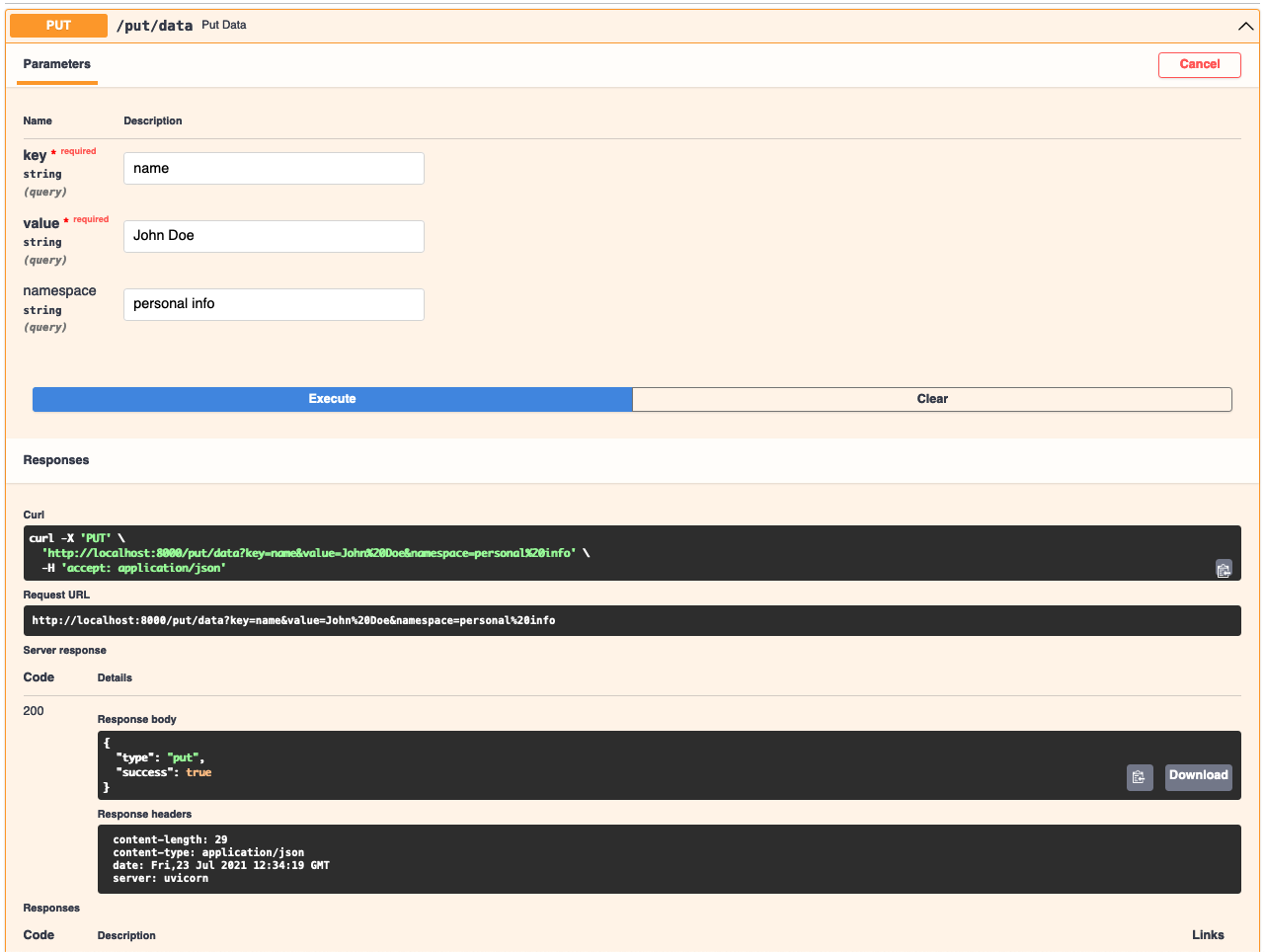
Let’s try and insert some data using the /put/data API
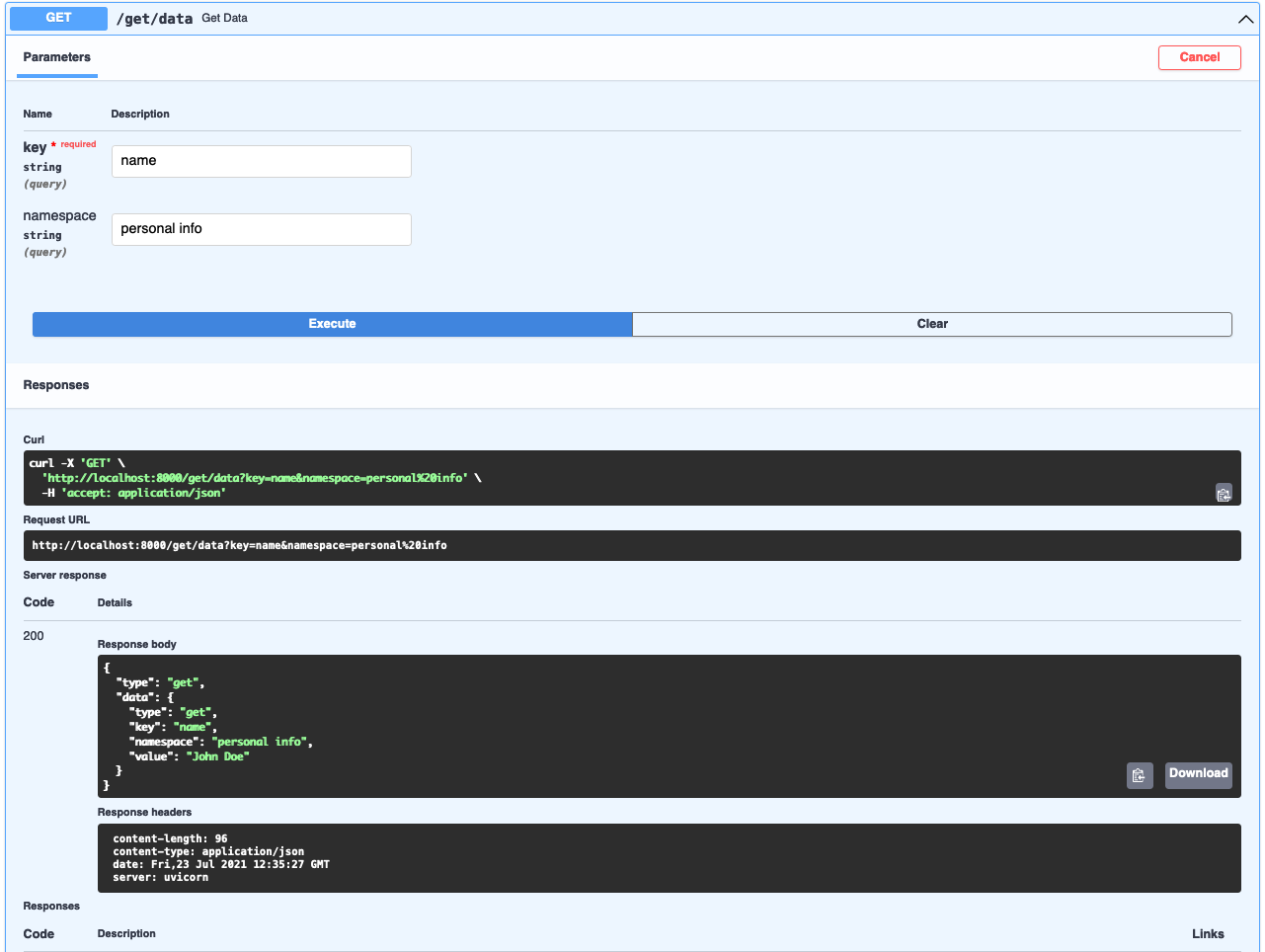
Let’s retrieve the data we just put using the /get/data API
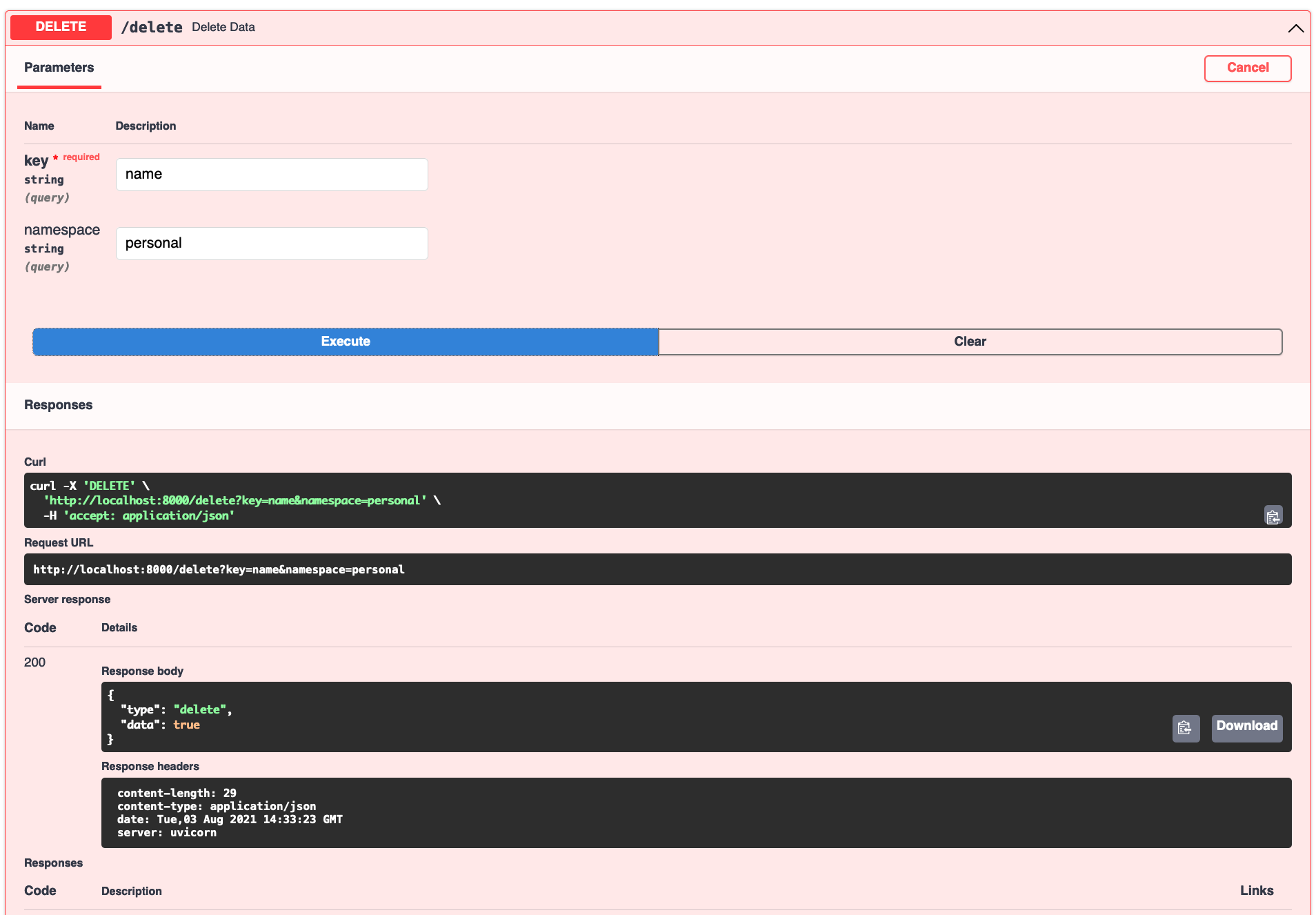
To delete the data, we can use the /delete API
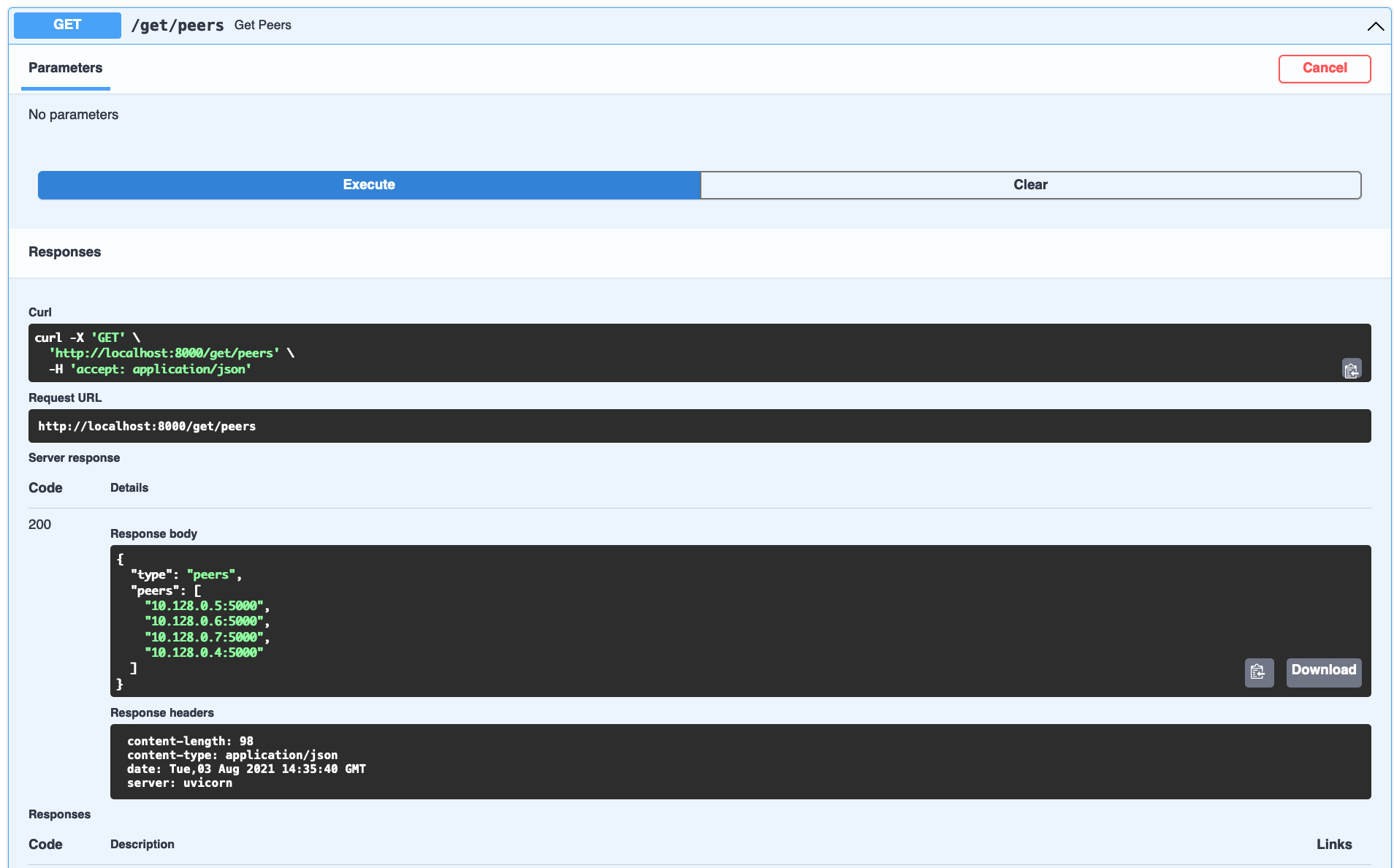
To get all the nodes in the cluster, we can use /get/peers API